Chronicle cursor for slides: AI Decks That Ship
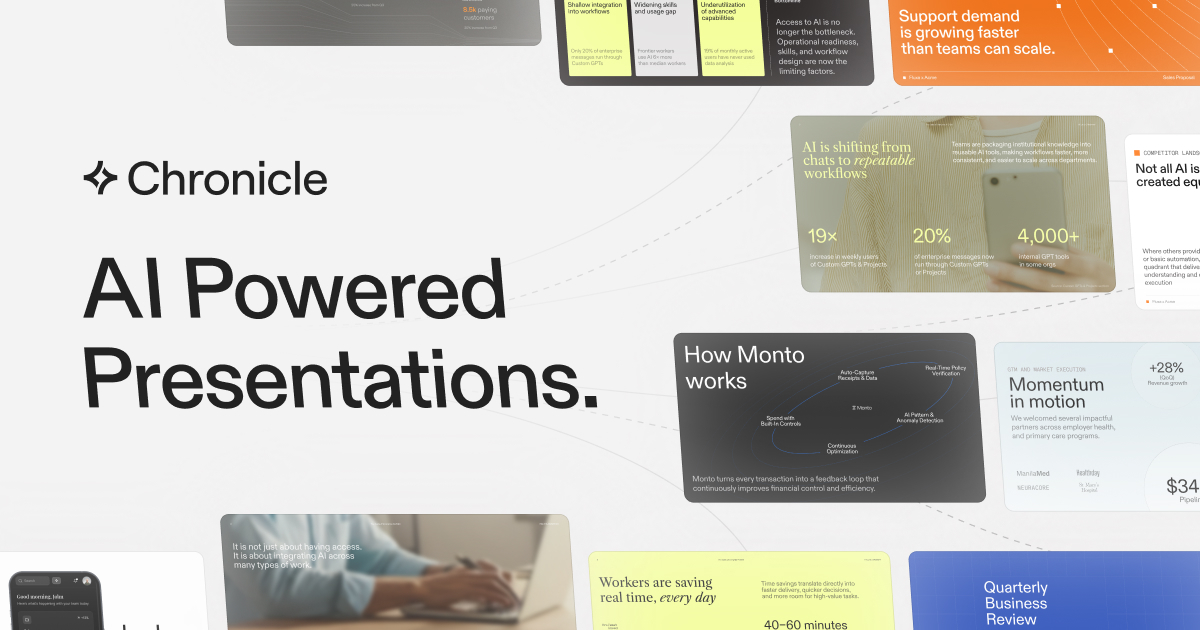
Chronicle cursor for slides turns raw notes into professional, on-brand AI presentations. Collaborate, refine on a freeform canvas, export to PPT/PDF.
✦Key takeaways
- 1Chronicle turns messy inputs (notes, outlines, meeting docs, existing decks) into a single editable presentation.
- 2Use the freeform canvas to keep layout and visual control while still getting AI iteration.
- 3Start from hundreds of designer templates to stay on-brand from day one.
- 4Collaborate with team templates and permissions, then export to PPT/PDF or publish as a website.
- 5Set brand fonts, colors, and visual rules so every slide stays consistent across teams.
Why I built Chronicle for slide craft
When I started working with teams on decks, the friction was never “can we make slides?” It was “can we make the right slides, fast, and still keep them on-brand.” People would dump notes into a tool, generate something acceptable, then spend hours fixing typography, layout, and narrative flow.
Chronicle: Cursor for Slides is built around a different assumption: serious work needs serious editing. I wanted a workflow where you begin from something structured (a template or your existing material), then use AI to draft quality slides without losing control of the canvas.
That’s why Chronicle leans into a freeform canvas approach. Instead of treating AI output as a locked artifact, you can instruct the system to refine and iterate while keeping customizability—so your final deck looks like your team made it, not like a generic generator did.
The team behind Chronicle brings experience from McKinsey, BCG, and Apple, and you can feel that in the product priorities: narrative clarity, consistency, and operational readiness for teams.
The result is a tool designed for high-stakes presentations—pitch decks, research reports, business updates, and project plans—where your reputation is on the slide.
The problem Chronicle solves for teams
Most AI slide tools fail at one of three moments: input, iteration, or consistency. Input is where raw material lives—meeting docs, outlines, and messy notes. If the tool can’t reliably pull that into a coherent deck, you’re stuck doing manual reformatting before you even start designing.
Iteration is the second problem. Many generators produce a “draft” that doesn’t behave like a real editor. You get output, but not control. Teams then spend time rebuilding layouts, redoing diagrams, and fixing charts so they match the story they meant to tell.
Consistency across teams is the third problem. Even if one person makes a great deck, the next contributor often breaks brand rules: fonts drift, colors shift, and slide layouts become inconsistent. That’s a governance problem, not an aesthetic one.
Chronicle: Cursor for Slides is designed for serious business work at scale, where decks aren’t one-off experiments. They’re recurring deliverables, and the cost of inconsistency shows up in reviews, rework, and missed deadlines.
What Chronicle does for presentation work
Chronicle combines AI workflows with a taste-first editing model so you can go from raw thoughts to polished presentations while keeping control. You start from templates, feed in raw material, and then refine slides by instructing Chronicle to improve specific parts of the deck.
The key design choice is the freeform canvas. You can instruct Chronicle to refine and iterate, but you still have full customizability and editing capability—so you’re not forced into a rigid, one-way generation flow.
Chronicle also focuses on operational needs: it’s built for teams that need on-brand presentations at scale. You can set brand fonts, colors, and visual rules so slide output stays consistent across contributors.
Finally, Chronicle is meant to be used end-to-end. You can generate slides, visualize data with charts and diagrams, collaborate in real time, and then share in the formats stakeholders actually consume: export to PPT, export to PDF, or publish as a website.
If you’re building decks for pitch proposals, business updates, research reports, or project plans, Chronicle is the workflow layer that turns your source material into a narrative your audience can follow—and remember.
- ✓Start from anywhere: paste raw notes, outlines, meeting docs, or existing decks.
- ✓AI slide generation that produces professional, on-brand slides with diagrams and visuals.
- ✓Freeform canvas with customizability and editing capability (AI refinement without losing control).
- ✓Hundreds of templates from top designers to accelerate first drafts.
- ✓Brand guidelines in one click: fonts, colors, and visual rules applied consistently.
- ✓Visualize with charts, graphs, metrics, and tables.
- ✓Export to PPT for continued editing, export to PDF, or publish as a website.
- ✓Real-time collaboration with shared templates and permission management.
- ✓Enterprise-grade security to keep content private.
Getting started with Chronicle workflows
Choose a starting point
Begin with a template or start from raw material. If you already have an outline or an existing deck, you can paste it in—Chronicle consolidates it into a single presentation so you don’t rebuild from scratch.
Paste inputs and let Chronicle structure
Use your real source material. For example, paste meeting notes, a project plan outline, or the text from a research report section. Chronicle pulls everything into one deck draft so you can move immediately into narrative refinement.
Direct AI to refine on the canvas
Instead of accepting a single output, you guide iteration. You might type: “Turn these notes into a 10-slide pitch deck with a clearer problem-solution arc and add a simple market-size chart to slide 4,” or “Rewrite slide 6 to be more concise and align all headings with our brand fonts.” Chronicle refines and iterates while you keep editing control on the freeform canvas.
Apply brand rules once
Set brand fonts, colors, and visual rules so every slide stays consistent across teams. If your deck has multiple contributors, this prevents drift and reduces review cycles.
Collaborate, then share in the right format
Invite your team for real-time collaboration. Share templates and manage permissions. When the deck is ready, export it to PPT for continued editing, export to PDF for static sharing, or publish it as a website so stakeholders can view it easily.
Who Chronicle: Cursor for Slides is For
Business teams shipping recurring decks
You need high-quality, on-brand presentations at scale—pitch decks, business updates, and research reports—without spending days reformatting slides.
Founders and product leads preparing stakeholder narratives
You want a fast path from notes and outlines to polished storytelling, plus the ability to iterate with AI while keeping control of layout and visuals.
Design-ops and brand owners enforcing consistency
You care about governance: brand fonts, colors, and visual rules that apply across templates and teams so quality doesn’t degrade over time.
Consultants and analysts translating material into visuals
You work with meeting docs and analytical content and need charts, graphs, metrics, and tables that fit the narrative rather than sitting as disconnected visuals.
Chronicle vs Canva, Pitch deck tools & Notion
Chronicle targets the slide-authoring workflow (templates + AI drafting + freeform editing + team collaboration) rather than being only a design canvas or a general knowledge workspace. Here’s how it compares to common alternatives when you’re producing high-stakes decks.
| Feature | Chronicle: Cursor for Slides | Canva | Notion | Beautiful.ai |
|---|---|---|---|---|
| Start from raw notes into a deck | Paste meeting docs, outlines, or existing decks; Chronicle pulls into one presentation | Import content and build designs, but structure is manual | Write content in pages/databases; turning into slides is a separate workflow | Generate slides with automation, but typically from slide-level inputs |
| AI refinement with editing control | Freeform canvas; instruct Chronicle to refine and iterate without losing customizability | AI tools exist, but editing control depends on design elements you manage | Limited slide-specific AI iteration; more manual layout work | Slide automation focuses on layout; deeper freeform editing may be constrained |
| On-brand consistency across teams | Set brand fonts, colors, and visual rules; share templates and manage permissions | Brand kits help, but governance across teams varies by setup | Brand consistency is possible, but not slide-native governance | Brand/templating exists, but team permissions and brand rules may be less slide-native |
| Export and sharing for stakeholders | Export to PPT, export to PDF, or publish as a website | Export options are strong, but publishing as a deck website varies by workflow | Export to formats depends on integrations; deck publishing isn’t the core focus | Export options exist, but publishing as a website depends on the product flow |
| Built for high-stakes business decks | Designed for serious business; templates and AI workflows aimed at professional narratives | Broad design tool; slide outcomes depend heavily on user process | General workspace; slide creation is secondary | Strong for quick presentations, but less focused on team workflow and narrative drafting |
Real-world use cases
Consultant turns meeting notes into a report deck
After a client workshop, I paste raw meeting notes and the outline of the deliverable into Chronicle. It pulls the material into a single deck draft, then I instruct it to tighten the problem framing and add visuals where the story needs evidence. I export to PPT for any last-mile edits before sharing.
Product lead drafts a pitch deck from rough ideas
I start from a template, drop in my raw notes and key metrics, then tell Chronicle to produce a clearer problem-solution arc. On the freeform canvas, I refine slide wording and layout until the narrative reads like a real story, not an AI dump.
Design-ops enforces brand rules across contributors
When multiple people contribute slides, I set brand fonts, colors, and visual rules once in Chronicle. That way, everyone’s edits stay consistent. The team collaborates in real time with shared templates, and we avoid the “fix typography and colors” review loop.
Analyst visualizes data for a business update
I paste the data context and key points for a business update. Chronicle helps me visualize charts, graphs, metrics, and tables, then I iterate on which numbers deserve emphasis—so the deck supports the decision, not just the explanation.
Frequently asked questions
Try Chronicle: Cursor for Slides
Chronicle: Cursor for Slides — Chronicle turns messy inputs (notes, outlines, meeting docs, existing decks) into a single editable presentation.
More from the blog
All articles
dataHabibi: Dubai Housing Forecasts With DLD Data
dataHabibi delivers building-level forecasts for Dubai housing—prices, rental yields, and DLD transactions—refreshed daily, plus Ask AI search.

VideoPopy 3D breakout videos: AI for Frame-Breaking Clips
VideoPopy 3D breakout videos turn prompts or product ideas into AI 3D breakout clips for Reels, Shorts, Instagram, LinkedIn and Facebook. Start with 10 free credits.