BlaBlaScribe: Timeline Transcription, Subtitles & Dubbing
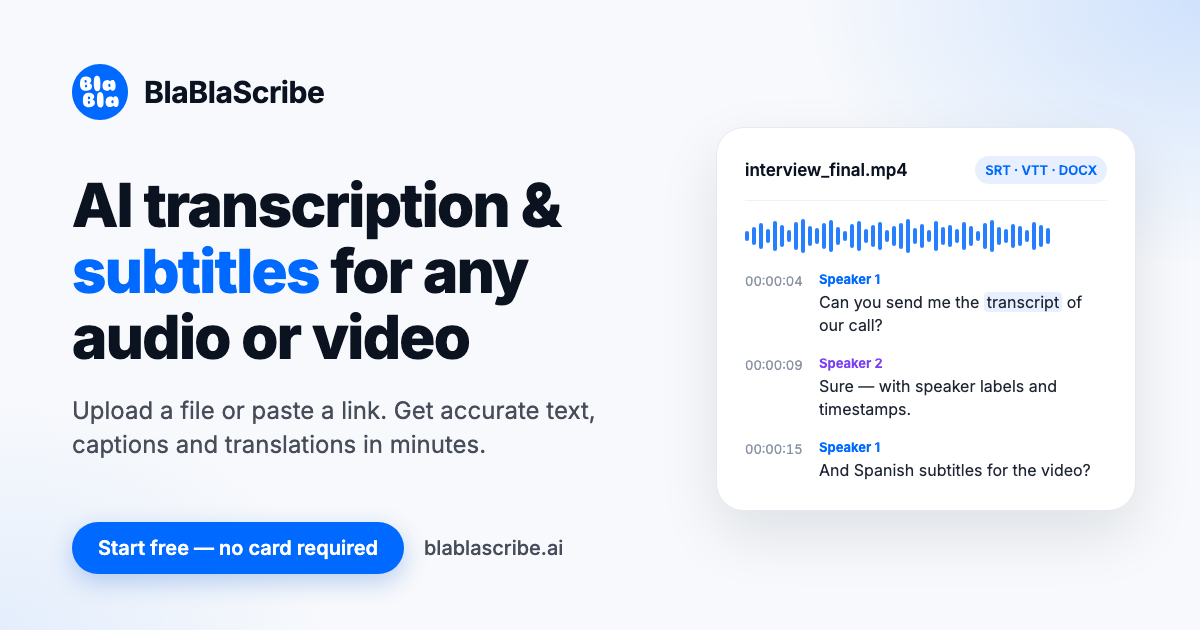
BlaBlaScribe transcribes and subtitles audio/video in 120+ languages. Upload up to 8 GB for time-coded edits, translation, dubbing, and exports.
✦Key takeaways
- 1Fix subtitles like a timeline editor: per-speaker tracks, loop playback, and quick word-level review.
- 2Get one source asset into multiple deliverables: transcripts, SRT/VTT/TXT/DOCX/PDF, and burned-in MP4 subtitles.
- 3Translate while preserving original timing, then dub into multiple languages with a voice per speaker.
- 4Use highlighted uncertain words to speed up the final keyboard pass.
- 5Transcription runs on BlaBlaScribe servers in Germany; translation and dubbing use third-party models.
The Story Behind BlaBlaScribe’s Timeline
I built BlaBlaScribe around a simple observation: subtitle work is where the time goes. Most transcription tools show results as a document, but subtitles aren’t a static text problem—they’re a timing problem. If you can’t quickly play a line, spot what’s off, and adjust it without losing context, you end up rewinding and re-checking constantly.
So BlaBlaScribe presents transcription the way subtitle editors actually work: on a video timeline. Each speaker gets a track, each caption line can be played, looped, split, or moved, and the words the model is unsure about are highlighted for a fast keyboard pass.
That approach also shaped the rest of the workflow. One recording can become a time-coded transcript, exported captions, translated subtitles that keep the original timing, and AI voice-overs with a voice per speaker. The product is designed so you don’t bounce between tools just to go from “recorded” to “published.”
The core is still practical: upload a file or paste a link, get a time-coded transcript with speaker labels, then refine it quickly in the editor. When you’re ready, export in the formats you actually use—SRT, VTT, TXT, DOCX, PDF—or generate an MP4 with burned-in subtitles.
Under the hood, transcription runs on BlaBlaScribe’s own servers in Germany. Translation uses Google Gemini, and dubbing uses ElevenLabs, so you get the language coverage and voice output people expect—while keeping the editing experience centered in one browser tool.
The Problem BlaBlaScribe Solves
If you’ve ever tried to localize a podcast or interview, you know the pain: you don’t just need text—you need timing. A document view makes it easy to read, but it’s slow for editing captions because you constantly switch between “what the model wrote” and “when it should appear.”
Subtitle accuracy is also uneven. Clear audio can come out near-perfect, but background noise, overlapping speakers, or fast dialogue often produce uncertain words. Without a focused review mode, you miss small errors and only discover them when you watch the video back.
Another recurring issue is workflow fragmentation. Many tools do transcription, others do translation, and others do dubbing or caption exports. For indie creators and small teams, that means more time switching contexts, reformatting files, and re-importing assets—especially when you’re iterating content for socials and long-form.
Finally, multilingual publishing adds export complexity. You might need SRT and VTT for one platform, DOCX or PDF for show notes, and an MP4 with burned-in subtitles for another. If the tool can’t generate these outputs from the same edited timeline, your final packaging step becomes a bottleneck rather than a simple export.
BlaBlaScribe targets these pain points by keeping editing anchored to the timeline, highlighting uncertain words for quick keyboard fixes, and generating translated and dubbed outputs from the same underlying subtitle structure.
What BlaBlaScribe Does
BlaBlaScribe turns audio and video into editable, time-coded transcripts and subtitles inside a browser timeline editor. You upload a file or paste a link, and you get speaker-labeled captions that you can play line-by-line, loop, split, and move—so subtitle editing stays tied to what viewers actually see and hear.
Once you’ve got a solid transcript, you can translate subtitles into 50+ languages while keeping the original timing. If you want a fully localized video, you can dub the video into 27 languages with a voice per speaker, using the same speaker tracks to keep voices consistent across lines.
The editor also supports the practical export formats creators and teams need: SRT, VTT, TXT, DOCX, PDF, and an MP4 with burned-in subtitles. That means you can produce both “caption files” and “ready-to-publish video” from the same workflow.
The product is built for speed. Words the model is unsure about are highlighted so you can do a keyboard pass without hunting through the entire transcript. And because the editor is timeline-based, you can jump to the exact moment where a line needs adjustment.
Transcription runs on BlaBlaScribe servers in Germany. Translation uses Google Gemini, and dubbing uses ElevenLabs, so the heavy language and voice steps are handled reliably while the human-in-the-loop editing stays in your browser timeline.
- ✓Timeline-based subtitle editor with per-speaker tracks
- ✓Play, loop, split, and move caption lines
- ✓Highlighted uncertain words for fast keyboard review
- ✓Translate subtitles into 50+ languages with original timing
- ✓Dub into 27 languages with a voice per speaker
- ✓Exports: SRT, VTT, TXT, DOCX, PDF, and MP4 with burned-in subtitles
- ✓Upload up to 8 GB or import links from YouTube, Vimeo, SoundCloud, Google Drive, and Dropbox
- ✓Transcription on BlaBlaScribe servers in Germany; translation via Google Gemini; dubbing via ElevenLabs
Getting Started with BlaBlaScribe
Upload a file or paste a link
You can either upload an audio/video file (up to 8 GB) or paste a link and import it. Supported sources include YouTube, Vimeo, SoundCloud, Google Drive, and Dropbox. Example input: “https://www.youtube.com/watch?v=YOUR_VIDEO_ID” or an uploaded MP4/MOV/MP3.
Review the time-coded transcript on a timeline
After transcription, you’ll see a time-coded transcript with speaker labels displayed as subtitle lines on a video timeline. Each speaker has a track, and each caption line can be played. If a word is uncertain, it’s highlighted so you can jump straight to the problematic segment.
Edit subtitles fast (loop + keyboard pass)
When something sounds off, you can loop the line to hear it in context, then adjust the text. If needed, you can split or move lines to align them better with the audio. Example prompt/input you might type while editing: “Replace the highlighted word with ‘radiator’ at 41:18” (you’re using the editor to target the highlighted region and correct via keyboard).
Translate subtitles or dub the video
To localize, you can translate subtitles into 50+ languages while preserving original timing. For full localization, you can dub into 27 languages with a voice per speaker, using the same speaker tracks to keep the voices consistent across the timeline.
Export what you need
When the timeline is ready, export to SRT, VTT, TXT, DOCX, PDF, or an MP4 with burned-in subtitles. If you’re preparing multiple platform formats, you can generate them from the same edited source so timing and wording stay consistent.
Who BlaBlaScribe is For
Solo creators and podcasters
You need captions and show notes from long recordings without spending hours manually syncing. The timeline editor and quick word highlights help you ship faster.
Small video teams
You often translate and republish interviews across languages. Translating with original timing and exporting multiple formats from one editor reduces rework.
Localization-minded indie founders
You want consistent speaker voices when dubbing and a workflow that doesn’t splinter across tools. BlaBlaScribe’s per-speaker tracks support that.
Community managers running multilingual content
You need subtitles that land on time and exports that work across platforms. The SRT/VTT/MP4 outputs and language coverage make distribution easier.
BlaBlaScribe vs Canva, Figma & Sketch
BlaBlaScribe is a transcription/subtitle timeline editor with translation and dubbing outputs, so direct “design tool” comparisons don’t capture the core workflow. Still, here’s how it contrasts with common alternatives people reach for when they need text and assets quickly.
| Feature | BlaBlaScribe | Descript | Rev | CapCut |
|---|---|---|---|---|
| Timeline-based subtitle editing with per-speaker tracks | Yes: speaker tracks with line-level play/loop/split/move in the editor | Editing experience centered on transcript and audio/video editing, with transcript-driven workflows | Service-oriented workflow; editing may be less timeline/subtitle-first | Video editing with captions, but not a dedicated subtitle timeline editor for speaker-labeled tracks |
| Translation that preserves original timing | Yes: translate subtitles into 50+ languages with the original timing | Translation workflows exist but timing preservation depends on how subtitles are generated/exported | Translation is available as a service; timing handling varies by workflow | Captions translation exists but subtitle timing preservation depends on export method |
| AI dubbing with voice per speaker | Yes: dub the video into 27 languages with a voice per speaker | Voice tools exist, but speaker-consistent dubbing for subtitle tracks may require extra steps | Service-based options; AI dubbing workflows vary | Voiceover and caption tools exist, but speaker-per-track dubbing is not the primary focus |
| Exports for captions and documents | SRT, VTT, TXT, DOCX, PDF, and MP4 with burned-in subtitles | Exports vary by workflow; often transcript and video editing outputs | Exports vary by service package and deliverable | Exports depend on the project; caption export formats vary |
Real-world use cases
Solo founder localizing a podcast episode
I paste the podcast’s audio link, review the speaker-labeled timeline, then loop the few lines where the model is unsure. After a quick keyboard pass, I translate subtitles into a target language and export SRT + an MP4 with burned-in captions for social clips.
Video team turning interviews into multilingual deliverables
For an interview recording, I generate the time-coded transcript, refine timing by splitting and moving caption lines on the timeline, and then export both SRT/VTT for editors and DOCX/PDF for show notes. When the publishing schedule changes, I translate using the same edited timing.
Indie marketer dubbing case-study videos
I take a single long-form case-study video, dub it into multiple languages with a voice per speaker, and export localized MP4 files with burned-in subtitles. Because speaker tracks drive the dubbing, the voices stay consistent across lines.
Community manager fixing subtitle accuracy quickly
When a clear audio clip still has a few wrong words, I rely on the highlighted uncertain words in the timeline. I loop the line, correct the text, and re-export the caption files—no need to re-run the entire transcription process.
Frequently asked questions
Try BlaBlaScribe
BlaBlaScribe — Fix subtitles like a timeline editor: per-speaker tracks, loop playback, and quick word-level review.
More from the blog
All articles
GigPenguin: Send Gig Sheets, Get 1-Tap Replies
GigPenguin sends one gig sheet to band members via text or email, tracks opens and latest versions, and reminds non-responders each morning.
WritersLock: Lock Apps Until You Write
WritersLock locks your distracting apps behind a daily writing habit. Write first, scroll later—private by design with encrypted on-device entries.